
For iPhone
Your everyday life.
One app.
LoopLife brings together everything a couple, a family or a flatshare has to coordinate. Tasks, groceries, money, dates — shared instead of explained five times over.
Free for iPhone. Premium without ads or limits from €2.99 a month.

Why LoopLife
Not another to-do app. The place where a shared household organises itself.
Your day at a glance
The ring on the home screen shows how much of today is done. Below it, the quick actions: task, shopping, expense, event — one tap each.
Speak instead of type
Hold plus and talk: “Call the dentist tomorrow at 10 and buy bread” becomes a task with a date and a shopping item. With Siri it even works without opening the app.
Shopping that settles itself
Enter the price on the item, tick it off, “Settle shopping” — it becomes an expense the household splits fairly.
The areas
Fifteen areas, one rhythm
The app starts with Tasks, Shopping list, Calendar and Money. Everything else is one tap away under “More”.
Tasks
With priority, due date, category and repetition. Private or for the household.
Shopping list
Quantity in pieces, grams, kilos, millilitres or litres, price per item, suggestions from earlier trips, settlement with the household.
Calendar
Events with icon, place and repetition — plus everything dated from the other areas in one view.
Money
Record expenses, split them fairly and see who owes whom.
Travel
A packing list that fills itself, typical weather at the destination, templates for trips you repeat, destinations to collect and a day plan with places to see, directions and drag-and-drop.
Speak
Dictate entries instead of typing. For speech the recording briefly goes to our server.
Week planner
The whole week on one screen, with events, a backlog below and rescheduling by dragging.
Recipes
Breakfast, main course, dessert and baking — with ingredients, method and a direct path to the shopping list.
Notes
Notes, bookmarks, business ideas, health, diary and routines.
Learning
Vocabulary, flashcards, summaries and mnemonics, with a test.
Entertainment
Film & series, gaming, literature and arts & stage — what is coming up and what is done.
Voting
Decisions in the household or a group, without a discussion in the chat.
Outlook
Deadlines months away that remind you in time.
Projects
Kanban board with assignment and dependencies, alone or with the household.
Rank
Eight ranks of three tiers each, growing quietly as you get things done. Decoration only — nothing is locked.
In use
Take a proper look
One area after another — this is what LoopLife really looks like on an iPhone.
Tasks
Type at the top, hit enter, done — or dictate it. Everything else follows when you need it.
- Priority, due date, category and repetition
- “Today” and “Week” as plain lists, plus the week planner
- Private or for the household, switchable in every list
Together, not side by side
Private or for the household — your call
Private entries are visible only to your account. Household entries are visible to every member, who can change them, the moment something happens. For money and votes there are also groups, for your club, say.
- 1
Create a household
Under Settings → Household you find your invite code, with a QR code and a share button.
- 2
Invite
Share the link or let them scan the QR code. Or they enter the code under Settings → Enter invite code.
- 3
Decide when creating
One switch, “Share with household” — and every list lets you switch between All, Household and Private.
See it move
LoopLife in under a minute
A quick run through household, tasks, calendar and money.
Chapter 1 / 6
Your day at a glance
The ring on the home screen shows how much of today is already done. Below it, the quick actions.
Quietly
Ranks that push nobody
XP accrue as you get things done. They unlock nothing and lock nothing — they only show what has added up.
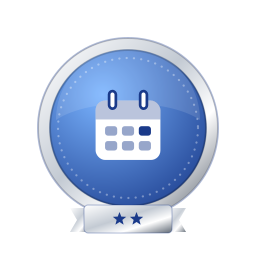
Eight ranks, three tiers each

Starter
from 1,200 XP
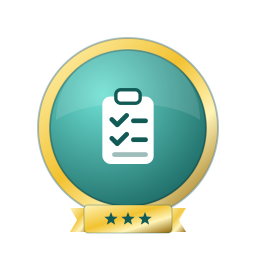
Planner
from 3,600 XP
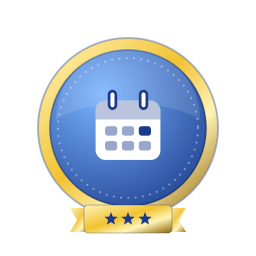
Organizer
from 7,200 XP
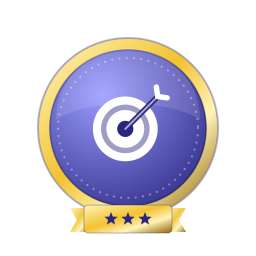
Strategist
from 12,600 XP

Achiever
from 20,000 XP

Pro
from 29,000 XP

Master
from 41,000 XP

Legend
from 56,000 XP
How to earn XP
- Task completed
- +10
- Completed on time
- +5
- Day in a row
- +5 … +25
- Weekly goal: 15 tasks
- +50
- At most per day
- 200
The daily cap makes sure lots of tiny tasks do not pay off. A day off only resets the streak — ranks you have reached always stay.
Questions
Answered briefly
What does LoopLife cost?
The app is free, with every area. The free version shows ads, has a limit per area (e.g. 30 open tasks, 30 items on the shopping list, 1 project) and no dictation. Premium costs €2.99 a month or €29.99 a year and brings: no ads, no limits, dictation, a custom accent colour and the option to suggest new features on looplife.org. Subscribe and cancel through your Apple account; Settings → Premium.
What happens when I reach a limit?
Nothing is lost: everything you have stays visible and editable. Only adding new entries waits until there is room again — something ticked off, deleted or done. What counts is what is in use: open tasks, items on the list, upcoming events and trips. In a household only what you created yourself counts: anything another member shares — including a project you were invited to — you can see, edit and tick off without it taking up your places. Premium has no limits.
Is there an Android app?
Not at the moment. LoopLife is built for the iPhone; on the iPad it runs in the iPhone view. An Android version is not currently planned.
How do I invite someone to my household?
Settings → Household. You will find the invite code there with a QR code and a share button. Whoever receives it enters it under Settings → Enter invite code, or simply taps the shared link.
How do I join a group?
Through the link in the invitation or with the code: Settings → Enter invite code, or Friends → Join group. The app works out by itself whether the code belongs to a household, a money group or a friends group. Once you have joined, you are friends with all members.
What is the difference between private and household?
Private entries are visible only to your account. Household entries are visible to every member of your household, and they can change them. You decide with the “Share with household” switch when creating an entry; lists let you switch between All, Household and Private.
Can I dictate tasks and shopping items?
Yes, with Premium. Hold the plus button → Speak, or tap the microphone in the quick-add line. Talk normally: “Call the dentist tomorrow at 10 and buy bread” becomes one task with a date and one item on the shopping list. Quantities, times, repetitions and “urgent” are understood. Before anything is created you always see a list to check. Recording happens on the device; for word recognition the recording briefly goes to our own server and is not stored afterwards.
Can I add something using Siri?
Yes, from iOS 16. Say „Hey Siri, add a task to LoopLife“, „Add to my shopping list in LoopLife“ or „What is due today in LoopLife“. Siri asks for the text and opens the app, which then creates the entry — opening is necessary because Siri itself cannot reach your data.
How does the packing list work?
Under “Travel” you create a trip: type of trip, dates, accommodation and the weather at your destination — that is all it takes. The app builds the bag from that. Quantities follow the duration (five nights means six pairs of socks, half that with a washing machine), the type of trip brings its own kit, and children, a baby, a dog, driving or a destination outside the EU each add their own items. Every entry says why it is there. Each item has three states: open, packed and back in. The third one is for the return trip — that is how the charger stops living in the hotel socket. Swipe right to put something on the shopping list, press and hold to edit it. “Check suggestions” adds anything still missing without touching what you added yourself.
How does the week planner work?
Tasks → Week or Calendar → Week planner. At the bottom, “Not scheduled” holds tasks without a date and overdue ones (red). Hold a task and drag it onto a day — that sets the date, the time of day is kept, the reminder moves too. Tasks that already have a day can be moved the same way. A short tap opens the task.
How do I sort items by shop?
In the item dialog, pick a shop under the amount: ALDI, LIDL, REWE and other chains, or your own via “New shop”. Your own shops are saved and offered for every new item. A long press on one of them renames or deletes it, and its items follow along. As soon as an item has a shop, the list is grouped by shop. Tap a heading to see only that shop.
Can tasks repeat?
Yes. The task dialog offers daily, weekly, monthly, yearly and a custom interval (“every 3 weeks”). Ticking one off creates the next one automatically.
How do I settle a shopping trip with the household?
Enter the price on the item and tick it off. As soon as bought household items with a price exist, “Settle shopping” appears at the bottom — it turns them into an expense in Money that is split fairly.
What are ranks and XP for?
Nothing beyond the badge next to your name — they unlock nothing and lock nothing. XP accrue as you go: 10 for every completed task, 5 more if it was not overdue, a small bonus for each day in a row and 50 for 15 tasks completed in one week. At most 200 XP count per day, so lots of tiny tasks do not pay off. Your standing is under Settings → Rank.
Is my data updated on other devices?
Yes, everything runs through your account and updates the moment it changes — for the other members of your household as well.
Can I register here?
Accounts are created in the app. On the website you sign in with the same credentials to see your account.

For LoopLife users
10% off at Online-Helfer
LoopLife is made by Online-Helfer. On web design, graphic design and digitalisation — for your business, your club or yourself — this code gets you 10% off. You will find the same sticker in the app under “Discounts & partners”.
Discount code
Looplife10
Go to Online-HelferMention the code with your enquiry. Cannot be combined with other discounts.